Skip to content
Logo
  • Email Marketing
  • Web Push
  • Pricing
  • Blog
  • Partners
  • Help
  • Contact
Documentation
Install app
Email Automation, Email Essentials, Email Marketing, Free Features, Guides, Marketing, Strategies

Grow Your List with Free Email Popups

2025-10-30

Your store visitors are most engaged while browsing your site — that’s the perfect time to invite them to subscribe.

With Uppush, you can create beautiful email popups to collect subscribers automatically, with no coding required. Best of all, it’s completely free.
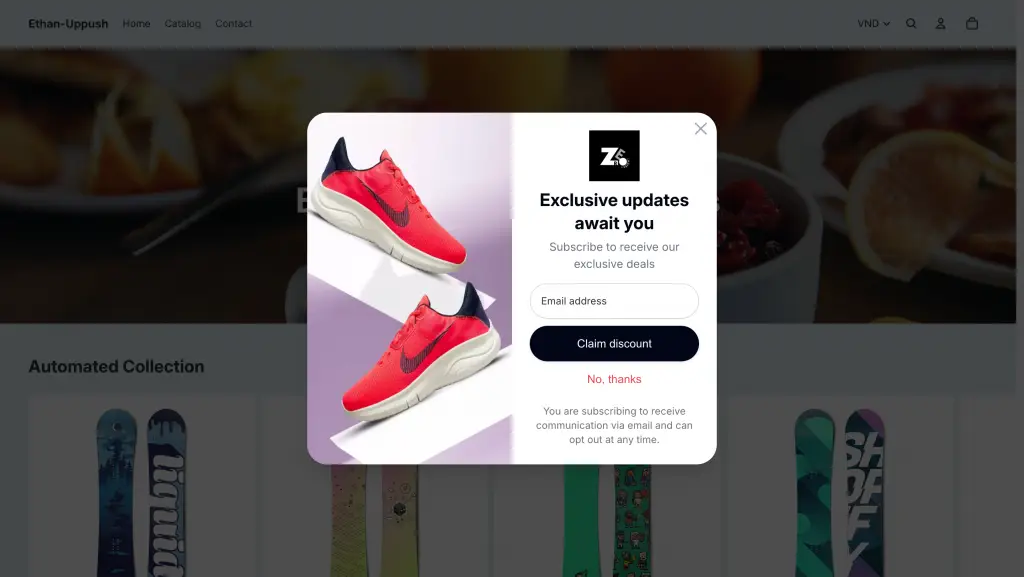
Using Uppush, you can quickly set up a beautiful Pop-up on your Shopify store for free

Why Email Popups Matter

Email marketing is still one of the most reliable ways to grow sales. But to run effective email campaigns, you first need a quality list of subscribers — people who actually want to hear from you.

Popups are the easiest way to do that. They appear at just the right moment — when someone’s been browsing for a while, or is about to leave your site — and encourage them to sign up for updates, discounts, or special offers.

Every subscriber you collect is a long-term connection you own, not dependent on social media algorithms or ad platforms.

How to Set It Up

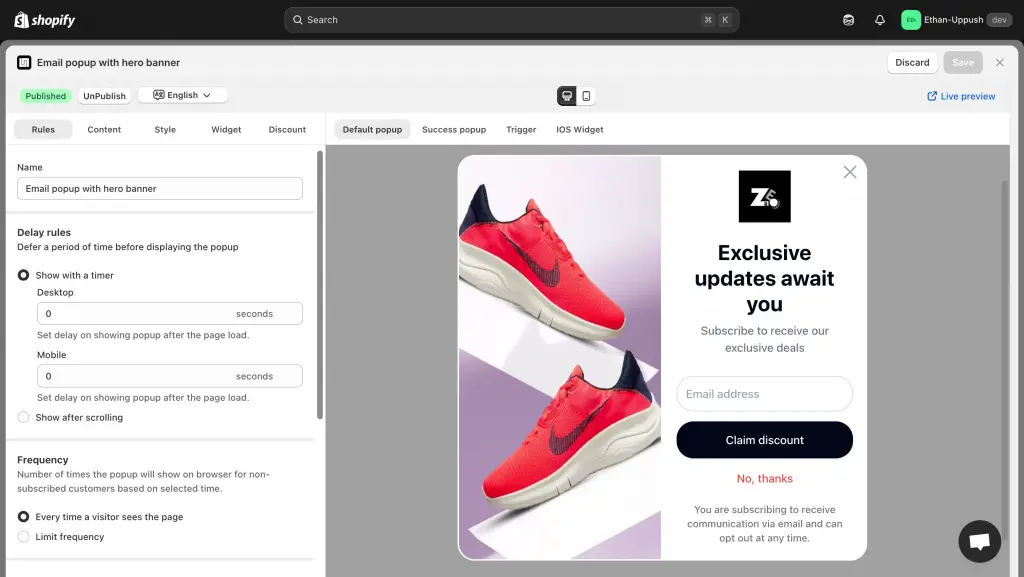
In Uppush, go to Opt-in popups → Enable Email Popup and to publish a ready-made template. You can customize the text, colors, images, and timing in just a few clicks.
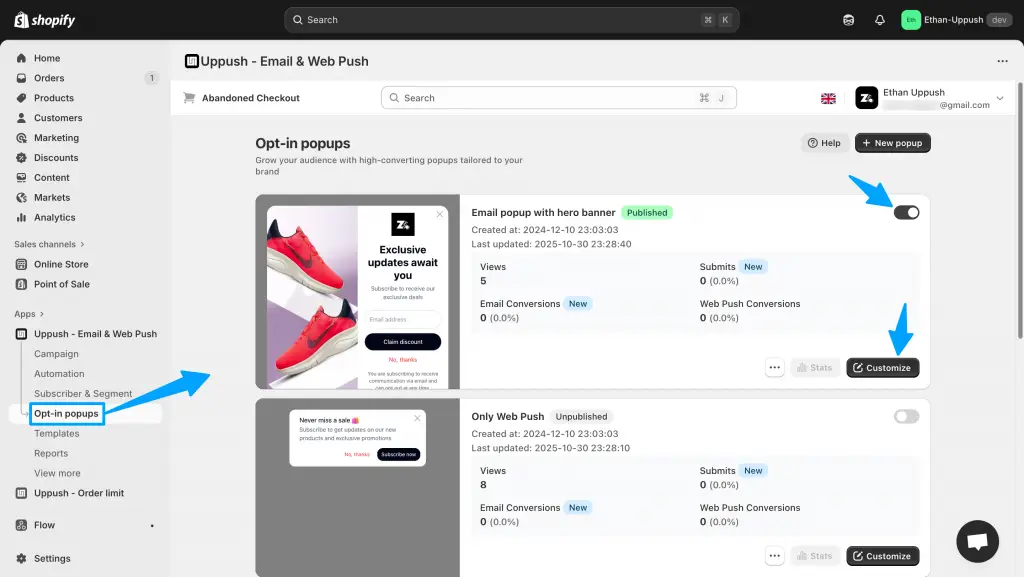
How to enable and customize your Email popup in Uppush

Then, decide when and where your popup appears:

  • Immediately, or after a few seconds on site
  • When a visitor scrolls down a page
  • On either Desktop or Mobile, or both
Additional customization and settings for the popup

You can also fine-tune advanced settings, like:

  • Showing the popup only on specific pages
  • Targeting or excluding specific countries
  • Adjusting frequency limits, or simply using the default setting (shown immediately, on all pages, without limits)

Finally, click Save and Publish your Popup and you’re ready to start collecting emails.

All collected emails are automatically stored in your Uppush contact list, and synced to your list of Shopify customers, ready to be used for campaigns and automations.

Offer a Discount to New Subscribers

To boost signups, you can easily offer a discount code after someone subscribes.
Just open the Discount tab in your popup settings.
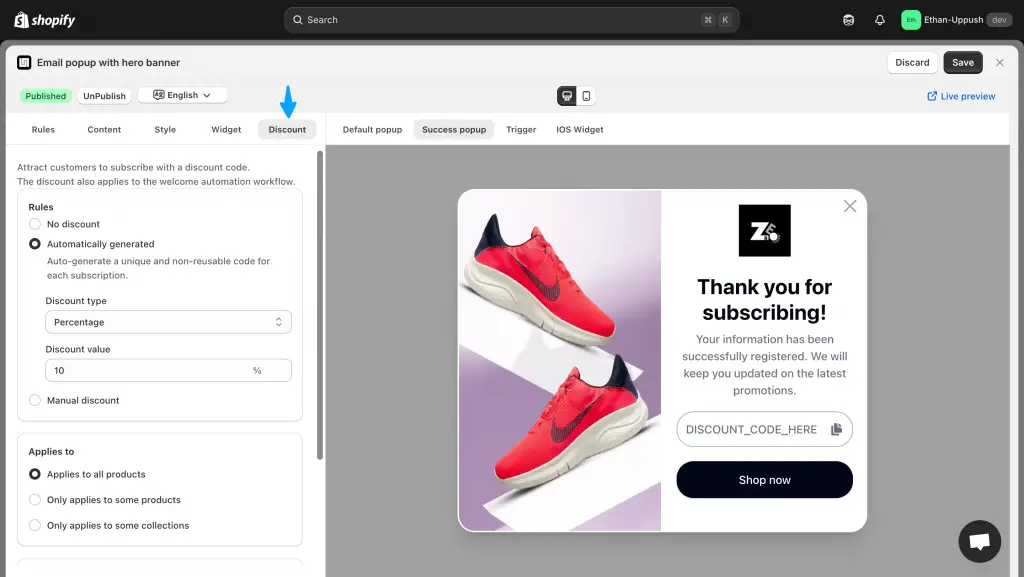
Optional Discount options for the popup

You can choose between:

  • Automatically generated codes – Uppush will create one-time discount codes in your Shopify store and display them to each new subscriber.
  • Manual discount codes – Create a reusable code in Shopify and paste it into Uppush.

(For a step-by-step guide, click here see our detailed doc on setting up discount codes.)

Take It Further with Automations

Once your popup starts collecting emails, you can automatically greet new subscribers with welcome messages or special offers.
Head to Automations in Uppush to set these up.
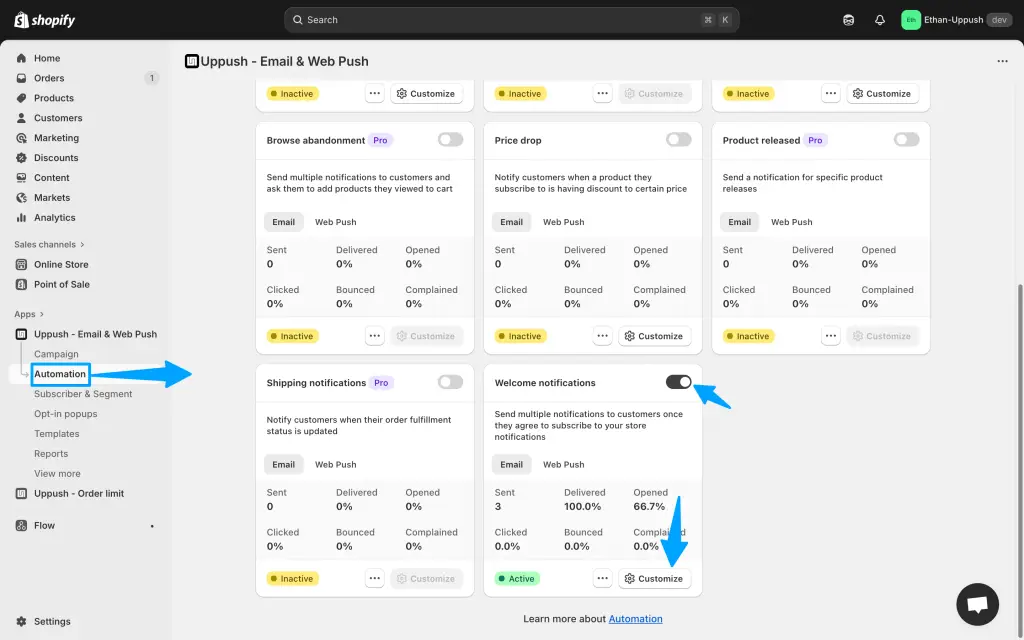
It’s a great idea to also setup Automations to take full advantage of the collected emails

And if you’re also using Web Push Notifications, you’ll reach both email subscribers and non-subscribers for maximum coverage.

Start collecting more subscribers for free — Install Uppush on Shopify.
  • boost sales
  • email automation
  • email marketing
  • email popups
  • free features

Post navigation

Previous
Next

Search

Categories

  • Business (5)
  • Email Automation (6)
  • Email Essentials (9)
  • Email Marketing (25)
  • Free Features (3)
  • Guides (10)
  • Insights (2)
  • Marketing (9)
  • Marketing Strategy & ROI (1)
  • News & Trends (1)
  • Push Notifications (4)
  • Strategies (12)
  • Technology (1)
  • Web Push (1)

Recent posts

  • Abandoned Cart Emails: How to Recover the Sales You’re Already Losing
  • The Welcome Email Series: How to Turn New Subscribers Into First-Time Buyers
  • SPF, DKIM, and DMARC Explained: Why Verifying Your Email Records Actually Matters

Tags

abandoned cart recovery abandoned checkout recovery attribution BIMI boost sales cart recovery clean up contacts customer acquisition cost customer lifetime value Deliverability dkim dmarc domain authentication domains dtc ecommerce marketing email automation email deliverability email design email list cleaning email marketing email popups email segmentation free features google ads marketing marketing budget marketing ROI meta ads multichannel marketing new features open rate paid ads pay-as-you-go preview text push notifications ROAS sender reputation shopify shopify apps spf subject lines Update uppush web push

Related posts

Email Automation, Email Marketing, Guides, Strategies

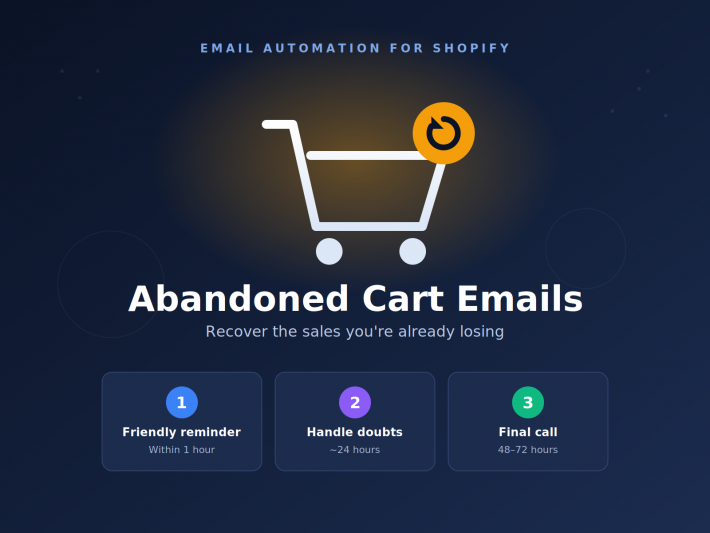
Abandoned Cart Emails: How to Recover the Sales You’re Already Losing

2026-06-02

Here’s an uncomfortable truth about running an online store: most of the people who add something to their cart never buy it. Across e-commerce, roughly seven out of ten carts are abandoned — shoppers get distracted, compare prices, balk at shipping, or simply close the tab meaning to come back later and never do. The […]

Email Automation, Email Marketing, Guides, Strategies

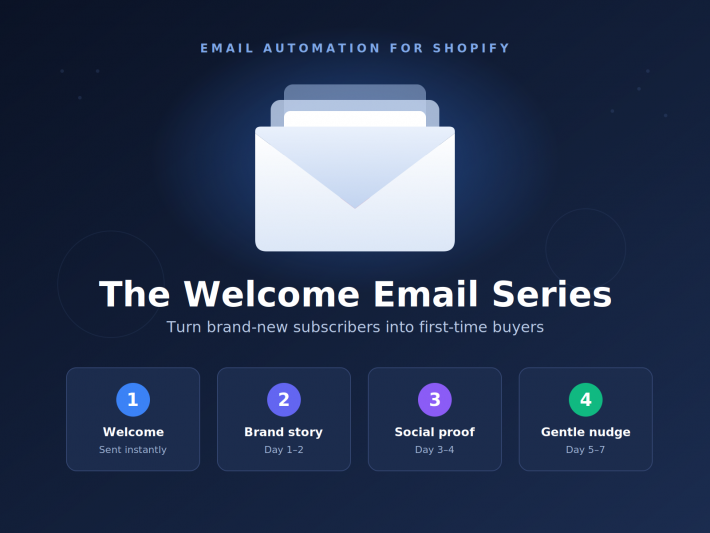
The Welcome Email Series: How to Turn New Subscribers Into First-Time Buyers

2026-05-30

Someone just handed you their email address. They clicked subscribe, joined your list, maybe entered a popup for a discount. Right now — in this exact moment — they’re more interested in your brand than they may ever be again. What you send next decides whether that interest turns into a first purchase, or quietly […]

Email Marketing, Technology

SPF, DKIM, and DMARC Explained: Why Verifying Your Email Records Actually Matters

2026-05-28

If you’ve ever set up an email marketing tool, you’ve probably run into three intimidating acronyms — SPF, DKIM, and DMARC — and a request to “verify your sending domain.” It’s tempting to skip it. It sounds technical, it lives in DNS settings most people never touch, and your emails seem to send fine without […]

Craft stunning email campaign & web push effortlessly while enjoying 24/7 customer support.

Features
  • Email service
  • Web push
Resources
  • Support center
  • FAQ
  • Blog
  • Privacy policy
  • Partners
Want to receive news and updates?


    © Uppush. All Rights Reserved.