Skip to content
Logo
  • Email Marketing
  • Web Push
  • Pricing
  • Blog
  • Partners
  • Help
  • Contact
Documentation
Install app
Business, Free Features, Guides, Marketing, Push Notifications, Strategies, Web Push

Reach More Shoppers with Free Web Push Notifications

2025-10-28

Most store visitors don’t buy on their first visit — they browse, get distracted, and leave. But what if you could reach them again instantly, without needing their email or phone number?

That’s exactly what Web Push Notifications do. With Uppush, you can start sending web push notifications for free — up to 500 per month on the Free plan.

What Are Web Push Notifications?

Web push notifications are small clickable messages that appear right on a shopper’s browser — even when they’re not on your website. They can show up on desktop or mobile devices, just like an app notification.
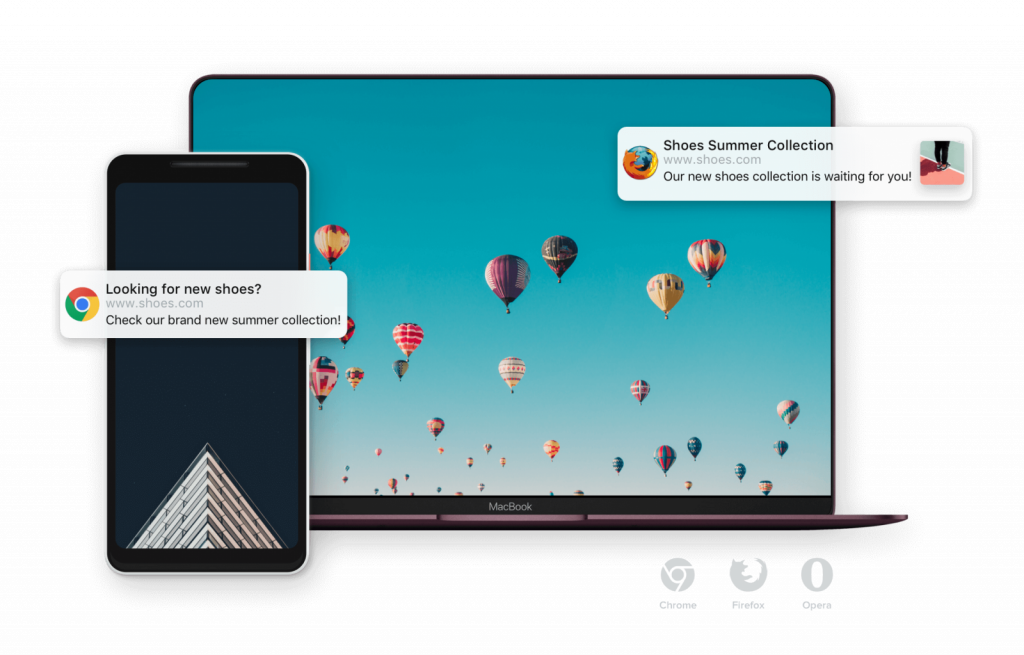
Browser-based web notifications work on both Desktop and Mobile

When a visitor opts in to receive updates, you can send them news, offers, and reminders directly through their browser. No forms, no emails — just one click and they’re subscribed.
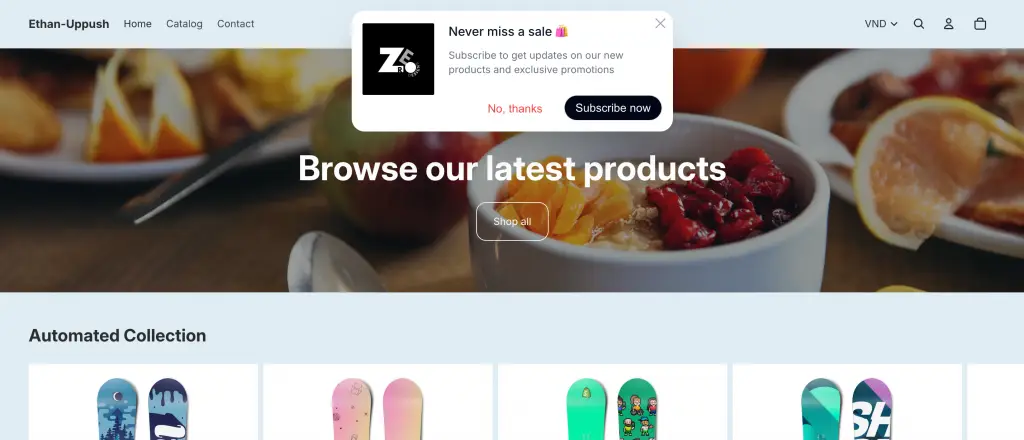
Customers can subscribe to Web Push notifications quickly with just a click!

Why Use Web Push Notifications?

They’re one of the most effective tools for bringing visitors back to your store. Here’s why:

  • Instant reach: Your messages appear right on your customers’ screens, grabbing attention fast.
  • Higher engagement: Push notifications have significantly higher click rates than emails.
  • Zero cost to start: Uppush’s Free plan includes 500 web push notifications per month, which is enough for most small stores to get started.
  • Simple setup: No coding, no integrations — just enable, customize, and send.

Many Shopify stores use them to recover abandoned carts, announce sales, or share new arrivals. You can even automate these messages so they send automatically based on customer behavior.

Getting Started

To set up your first campaign, open your Uppush dashboard and go to Campaigns → New Campaign → Web Push Campaign.

  1. Choose a template, pick either Send now or Schedule.
  2. Select a Campaign type and a Segment of customers to send to.
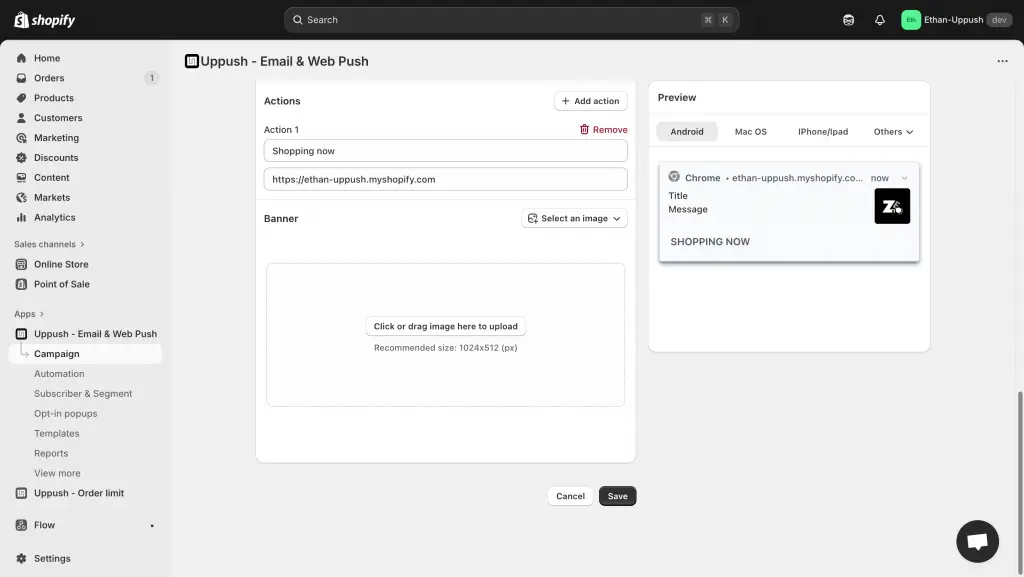
  3. Include a link and a custom banner if you like, then finally click Save and you’re done.
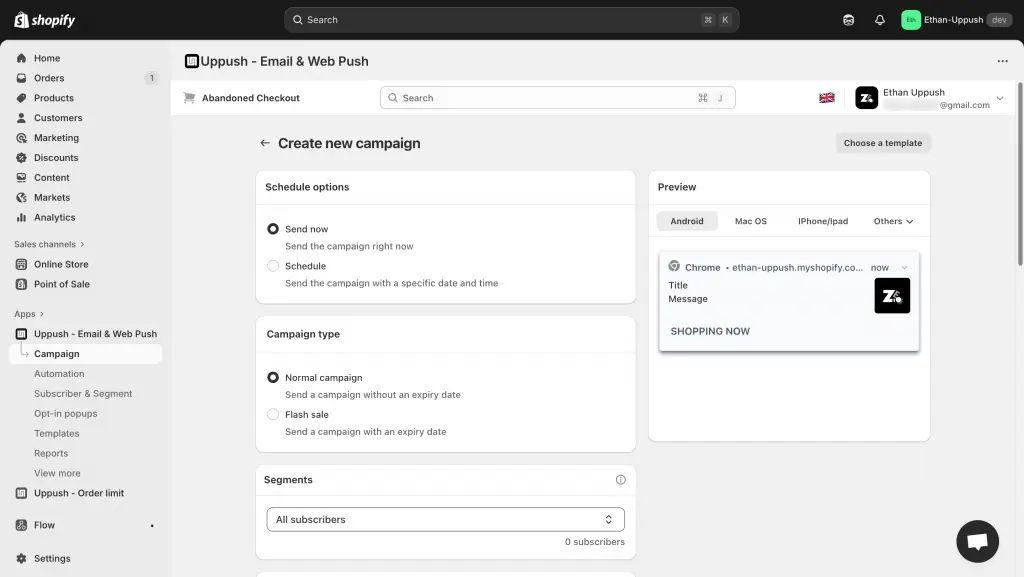
Creating a new Web Push campaign
Finalize your setup for the Web Push campaign

If you’d rather let it run automatically, check out Uppush’s Automation tab — you can create triggers for events like abandoned carts or new product updates.
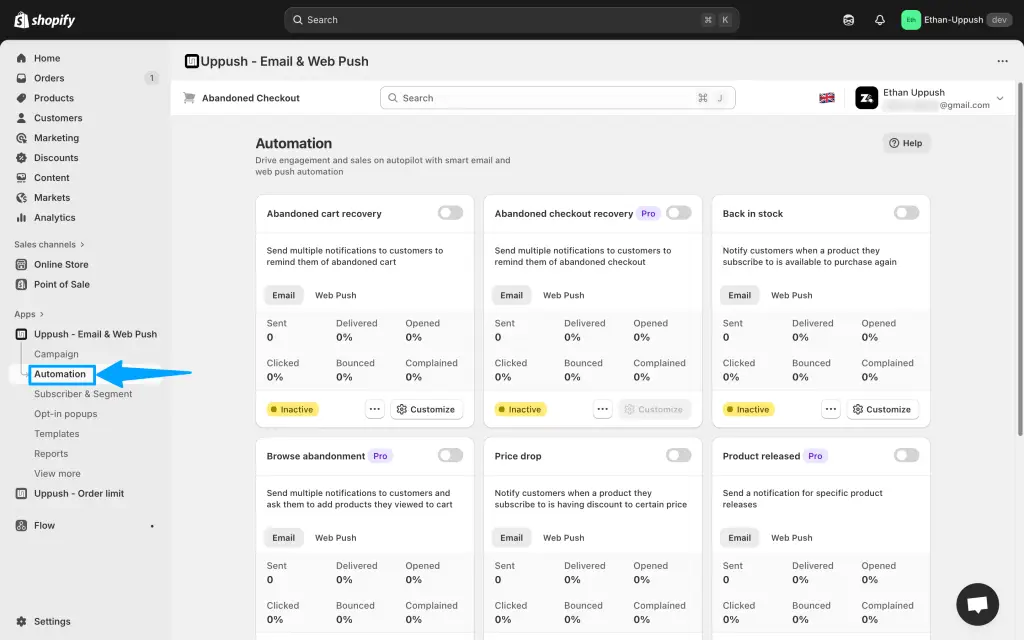
Check out the Automation tab to set up various triggers for your Web Push notifications

Want to grow your audience even faster? Combine push notifications with Email Popups to collect emails, or set up Email Automations to send personalized follow-ups.

Start using web push notifications for free — Install Uppush on Shopify.
  • abandoned cart recovery
  • boost sales
  • free features
  • push notifications
  • web push

Post navigation

Previous
Next

Search

Categories

  • Business (5)
  • Email Automation (6)
  • Email Essentials (9)
  • Email Marketing (25)
  • Free Features (3)
  • Guides (10)
  • Insights (2)
  • Marketing (9)
  • Marketing Strategy & ROI (1)
  • News & Trends (1)
  • Push Notifications (4)
  • Strategies (12)
  • Technology (1)
  • Web Push (1)

Recent posts

  • Abandoned Cart Emails: How to Recover the Sales You’re Already Losing
  • The Welcome Email Series: How to Turn New Subscribers Into First-Time Buyers
  • SPF, DKIM, and DMARC Explained: Why Verifying Your Email Records Actually Matters

Tags

abandoned cart recovery abandoned checkout recovery attribution BIMI boost sales cart recovery clean up contacts customer acquisition cost customer lifetime value Deliverability dkim dmarc domain authentication domains dtc ecommerce marketing email automation email deliverability email design email list cleaning email marketing email popups email segmentation free features google ads marketing marketing budget marketing ROI meta ads multichannel marketing new features open rate paid ads pay-as-you-go preview text push notifications ROAS sender reputation shopify shopify apps spf subject lines Update uppush web push

Related posts

Email Automation, Email Marketing, Guides, Strategies

Abandoned Cart Emails: How to Recover the Sales You’re Already Losing

2026-06-02

Here’s an uncomfortable truth about running an online store: most of the people who add something to their cart never buy it. Across e-commerce, roughly seven out of ten carts are abandoned — shoppers get distracted, compare prices, balk at shipping, or simply close the tab meaning to come back later and never do. The […]

Automate Your Shopify Marketing with Free Email Tools | Uppush
Email Automation, Email Marketing, Free Features, Marketing, Strategies

Automate Your Marketing for Free

2025-11-13

Manually sending follow-up emails takes time — but with Uppush, you can automate much of it effortlessly. Our automation tools help you stay connected with customers and boost conversions, and most are available for free. What Are Email Automations? Email automations are messages that send automatically based on customer behavior. For example: These workflows run […]

Grow Your Shopify Email List with Free Popups | Uppush
Email Automation, Email Essentials, Email Marketing, Free Features, Guides, Marketing, Strategies

Grow Your List with Free Email Popups

2025-10-30

Your store visitors are most engaged while browsing your site — that’s the perfect time to invite them to subscribe. With Uppush, you can create beautiful email popups to collect subscribers automatically, with no coding required. Best of all, it’s completely free. Why Email Popups Matter Email marketing is still one of the most reliable […]

Craft stunning email campaign & web push effortlessly while enjoying 24/7 customer support.

Features
  • Email service
  • Web push
Resources
  • Support center
  • FAQ
  • Blog
  • Privacy policy
  • Partners
Want to receive news and updates?


    © Uppush. All Rights Reserved.