How to Increase Your Email Open Rate: A Practical Guide to Getting Campaigns Noticed
You spent hours writing the perfect email. The offer is strong, the design is clean, the call-to-action is impossible to miss. Then you hit send — and barely a quarter of your list ever opens it.
If that sounds familiar, you’re not alone. The open rate is the first hurdle every campaign has to clear, and it’s also the one most marketers struggle with. A great email that never gets opened might as well not exist.
The good news: open rates aren’t random. They’re the predictable result of a handful of decisions you make before, during, and after you press send. This guide walks through what actually moves the needle — grouped by where in the journey the improvement happens — so you can stop guessing and start fixing the right things.
In this guide
- First, what counts as a “good” open rate?
- Part 1: Win the inbox preview
- Part 2: Earn your way into the inbox
- Part 3: Send the right email to the right person, at the right time
- Part 4: Test, measure, and keep improving
- A quick checklist before your next send
- Final thoughts
First, what counts as a “good” open rate?
Before chasing a number, it helps to know what you’re aiming at.
Across most industries, average open rates tend to land somewhere in the 20–35% range, though this varies widely. Hobby, entertainment, and lifestyle brands often sit at the higher end, while heavily regulated or low-frequency categories sit lower. Rather than fixating on an industry benchmark, treat your own historical average as the baseline you’re trying to beat.
One important caveat for 2026: open rates are no longer perfectly accurate. Apple’s Mail Privacy Protection and similar features automatically pre-load email images, which can register an “open” even when no human looked at the message. This means your open rate is now a directional signal — useful for spotting trends and comparing campaigns against each other, but not a precise headcount. Read it alongside clicks, replies, and conversions for the full picture.
With that context set, let’s get into the improvements.
Part 1: Win the inbox preview
Before anyone reads a single word of your email, they make a snap judgment based on three small pieces of text visible in their inbox: who it’s from, the subject line, and the preview text. Getting these three right is the highest-leverage work you can do.
Make the sender name recognizable
People open emails from senders they trust. A “from” name like noreply@ or a vague company abbreviation creates hesitation. Instead, use a consistent, human, recognizable sender — your brand name, or a “Name from Brand” format (e.g., Maya at Brightleaf). Consistency matters more than cleverness here: when subscribers see the same trusted name every time, opening becomes a habit.
Write subject lines that earn the click
The subject line is your headline. A few principles that consistently work:
- Be specific, not vague. “A quick update” tells the reader nothing. “Your March invoice is ready — due Friday” tells them exactly why to open.
- Lead with value or curiosity, not both at once. Either promise a clear benefit (“Save 3 hours a week with this workflow”) or open a genuine curiosity gap (“The mistake costing your store repeat customers”) — but don’t bury the message in clickbait.
- Keep it scannable. Many subscribers read on mobile, where roughly 35–45 characters show before truncation. Front-load the most important words.
- Use urgency honestly. Real deadlines (“Last day for free shipping”) work. Fake urgency on every email trains people to ignore you.
- Go easy on emojis and capitals. One well-placed emoji can help a subject line stand out; a row of them, or ALL CAPS, reads as spam.
Don’t waste the preview text
The preview text (also called preheader) is the snippet shown right after the subject line. If you don’t set it deliberately, the inbox grabs whatever text appears first in your email — often an unhelpful “View in browser” link.
Treat the preview text as a second subject line that extends the first one rather than repeating it. If your subject promises a discount, let the preview add the detail: “Subject: Your 20% code is inside → Preview: Plus a free gift on orders over $50.” Together they should tell a small, complete story.
Part 2: Earn your way into the inbox
None of the above matters if your email lands in the spam folder. Deliverability is the invisible foundation of every open rate.
Keep your list clean
Email lists decay constantly — people change jobs, abandon addresses, or simply lose interest. Sending to dead or disengaged addresses drags down your sender reputation, which then hurts inbox placement for everyone on your list.
Build a hygiene routine:
- Remove hard bounces and invalid addresses promptly.
- Run a re-engagement campaign for subscribers who haven’t opened anything in 60–90 days — and remove the ones who still don’t respond.
- Use double opt-in so new subscribers confirm their address and their interest from day one.
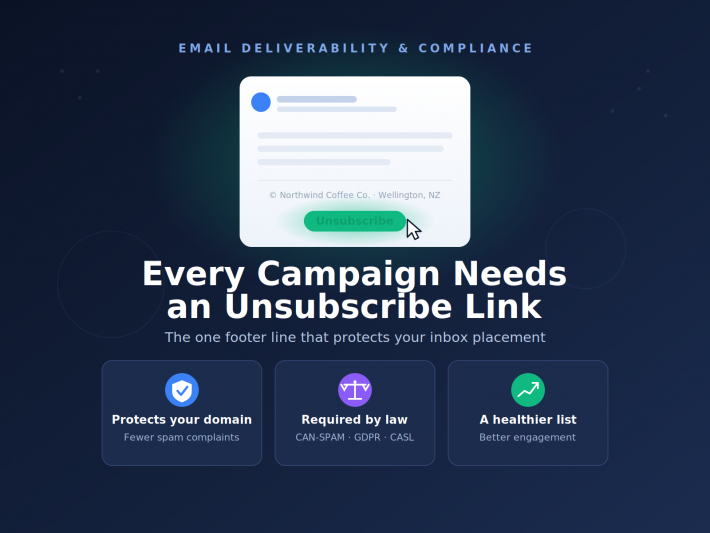
- Make unsubscribing easy. An unsubscribe is far healthier for your list than a spam complaint.
A smaller, engaged list almost always outperforms a large, neglected one.
Authenticate your domain
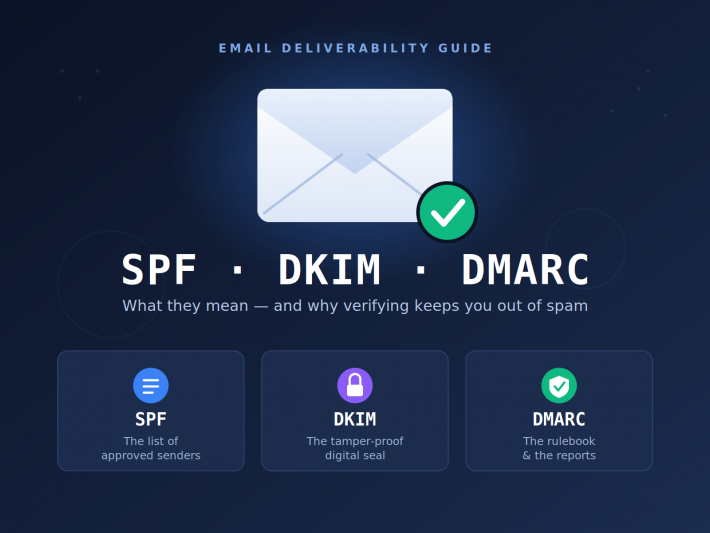
Set up SPF, DKIM, and DMARC records for your sending domain. These are the technical credentials that prove your emails are genuinely from you. Without them, mailbox providers are far more likely to filter your messages — and most major providers now treat proper authentication as a baseline requirement, not an optional extra. If you’re not sure whether yours are configured, ask whoever manages your domain or email platform to confirm.
Avoid the signals that trigger filters
Spam filters in 2026 are smarter than keyword blocklists, but a few habits still raise flags:
- Heavy, image-only emails with little real text.
- Excessive punctuation, all-caps phrases, and a wall of exclamation marks.
- Misleading subject lines that don’t match the content.
- Sudden, dramatic spikes in send volume from a new domain.
The most reliable way to stay out of spam isn’t tricking the filter — it’s earning genuine engagement. Mailbox providers watch how recipients react. When people open, click, reply, and don’t mark you as spam, your inbox placement improves on its own.
Part 3: Send the right email to the right person, at the right time
Even a perfectly delivered email with a brilliant subject line will underperform if it’s simply not relevant. Relevance is what turns a one-time open into an engaged subscriber.
Email only the people who asked for it
Before any tactic on this list can work, the people on your list have to actually want to hear from you. Every recipient should have explicitly opted in to receive marketing email — by ticking a clear sign-up box, completing a subscription form, or otherwise giving genuine permission.
It can be tempting to grow faster by buying lists, scraping addresses, or quietly adding everyone who ever filled in a contact form. Resist it. Contacts who never asked to hear from you have no reason to open your campaigns — their silence and spam complaints drag down your sender reputation, which then hurts inbox placement for the subscribers who do want your emails. It can also put you on the wrong side of regulations like GDPR and CAN-SPAM.
A list built purely on real opt-ins will almost always be smaller than you’d like — and that’s fine. A small audience that chose to be there will open, click, and stay subscribed far more reliably than a large list of people who never said yes.
Segment your audience
Blasting one identical email to your entire list is the single most common open-rate killer. Different people care about different things.
Start with simple, high-impact segments:
- New vs. returning customers — a welcome offer means nothing to a loyal buyer.
- Engagement level — your most active subscribers can handle more frequent emails; cold subscribers need a gentler, win-back approach.
- Purchase history or interests — someone who only ever buys running gear shouldn’t get your formalwear campaign.
- Location — relevant for store events, regional offers, or time-zone-aware sending.
You don’t need dozens of segments. Even splitting your list three or four ways usually produces a noticeable lift.
Personalize beyond the first name
Inserting a subscriber’s name is a fine start, but real personalization is about content, not just a merge tag. Use what you know — past purchases, browsing behavior, sign-up source — to shape the message itself. A subject line referencing a category the reader actually shops (“New arrivals in trail running”) will always outperform a generic one.
Time it for your audience
You’ll find plenty of “best time to send” studies online, and they’re a reasonable starting point — but the genuinely best time is whenever your audience checks their inbox. A B2B audience may open mid-morning on a weekday; a consumer audience might engage in the evening or on weekends.
Use your own analytics to find your pattern, then test around it. Many email platforms also offer send-time optimization, which automatically delivers to each subscriber when they’re historically most likely to engage.
And don’t ignore frequency. Emailing too often is one of the fastest ways to fatigue a list and watch open rates slide. If your numbers are dropping, the fix may simply be sending less, but better.
Part 4: Test, measure, and keep improving
Open-rate optimization isn’t a one-time project. The strongest email programs treat every campaign as a small experiment.
A/B test one thing at a time
A/B testing removes the guesswork. Send two versions of a campaign to small, equal portions of your list, then send the winner to everyone else. To learn anything useful, change only one variable per test — otherwise you won’t know what caused the difference.
High-value things to test for open rate specifically:
- Subject line wording, length, and tone
- Sender name
- Preview text
- Send day and send time
Keep a simple log of what you test and what wins. Over months, those small insights compound into a sending strategy tuned to your exact audience.
Make sure mobile readers aren’t an afterthought
A large share of email is opened on phones. If your subject line gets cut off, your preview text is missing, or your email renders awkwardly, mobile users simply won’t engage — and disengagement quietly erodes future deliverability. Use a responsive template, keep subject lines short, and preview every campaign on a phone before sending.
Look past the open rate
Finally, remember that the open rate is a means, not the goal. An email can be opened by everyone and still fail if nobody clicks or buys. Pair open rate with click-through rate, conversions, replies, and unsubscribes to judge whether a campaign genuinely worked. Sometimes a slightly lower open rate with much stronger clicks is the better outcome.
A quick checklist before your next send
Before your next campaign goes out, run through this:
- ☐ Recognizable, consistent sender name
- ☐ Specific, scannable subject line — tested if possible
- ☐ Preview text written deliberately, extending the subject
- ☐ List cleaned of bounces and long-term inactive subscribers
- ☐ Domain authentication (SPF, DKIM, DMARC) in place
- ☐ The right segment selected — not the whole list by default
- ☐ Content relevant to that segment’s interests
- ☐ Sent at a time that suits your audience
- ☐ Rendered and checked on mobile
- ☐ A/B test set up on subject line or send time
Final thoughts
Increasing your email open rate isn’t about one magic trick — it’s about removing friction at every stage of the journey: getting delivered, looking trustworthy in the inbox, staying relevant, and learning from every send.
Start with the highest-leverage fixes — a recognizable sender, a sharper subject line, a clean list — and measure as you go. Improvement tends to be incremental, but it compounds. A few points of lift on every campaign adds up to a dramatically healthier email program over the course of a year.
Pick one or two changes from this guide, apply them to your next campaign, and watch what happens. Then keep iterating. Your inbox results will follow.
Suggested SEO meta description (under 160 characters): Learn how to increase your email open rate with practical, proven tactics — better subject lines, cleaner lists, smart segmentation, and testing.