Skip to content
Logo
  • Email Marketing
  • Web Push
  • Pricing
  • Blog
  • Help
  • Contact
Documentation
Install app
Email Automation, Email Essentials, Email Marketing, Free Features, Guides, Marketing, Strategies

Grow Your List with Free Email Popups

2025-10-30 admin No comments yet
Grow Your Shopify Email List with Free Popups | Uppush

Your store visitors are most engaged while browsing your site — that’s the perfect time to invite them to subscribe.

With Uppush, you can create beautiful email popups to collect subscribers automatically, with no coding required. Best of all, it’s completely free.
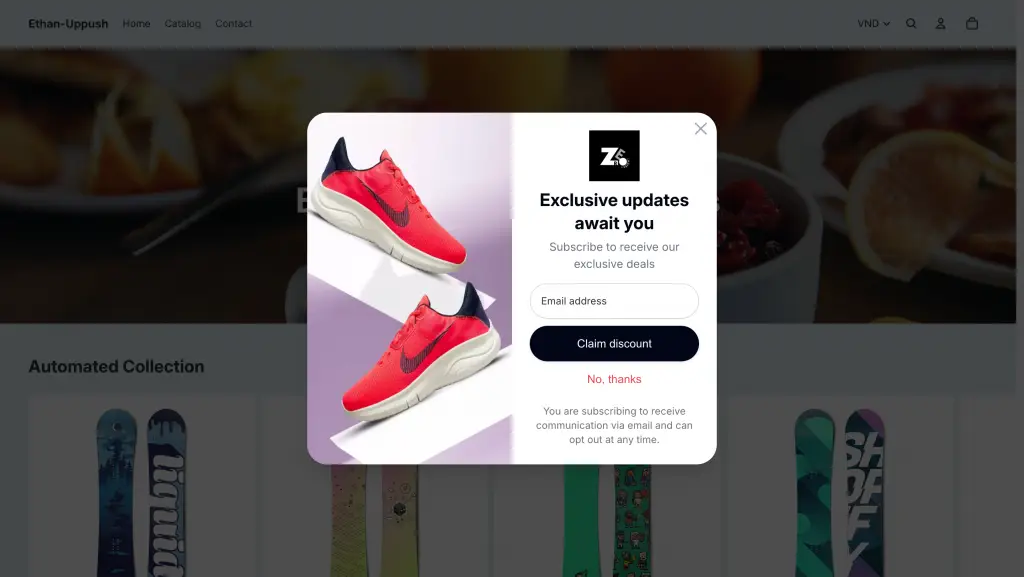
Using Uppush, you can quickly set up a beautiful Pop-up on your Shopify store for free

Why Email Popups Matter

Email marketing is still one of the most reliable ways to grow sales. But to run effective email campaigns, you first need a quality list of subscribers — people who actually want to hear from you.

Popups are the easiest way to do that. They appear at just the right moment — when someone’s been browsing for a while, or is about to leave your site — and encourage them to sign up for updates, discounts, or special offers.

Every subscriber you collect is a long-term connection you own, not dependent on social media algorithms or ad platforms.

How to Set It Up

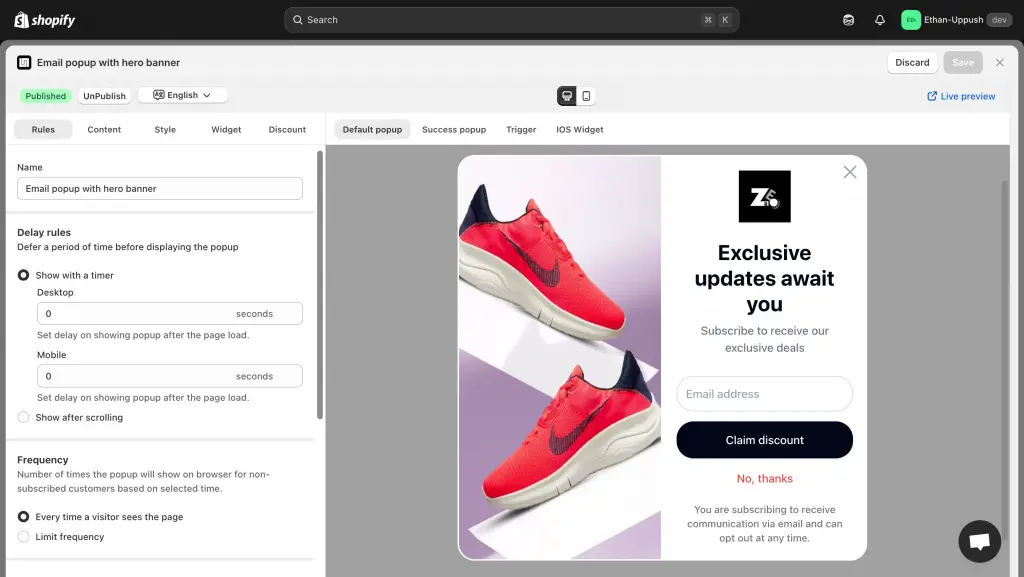
In Uppush, go to Opt-in popups → Enable Email Popup and to publish a ready-made template. You can customize the text, colors, images, and timing in just a few clicks.
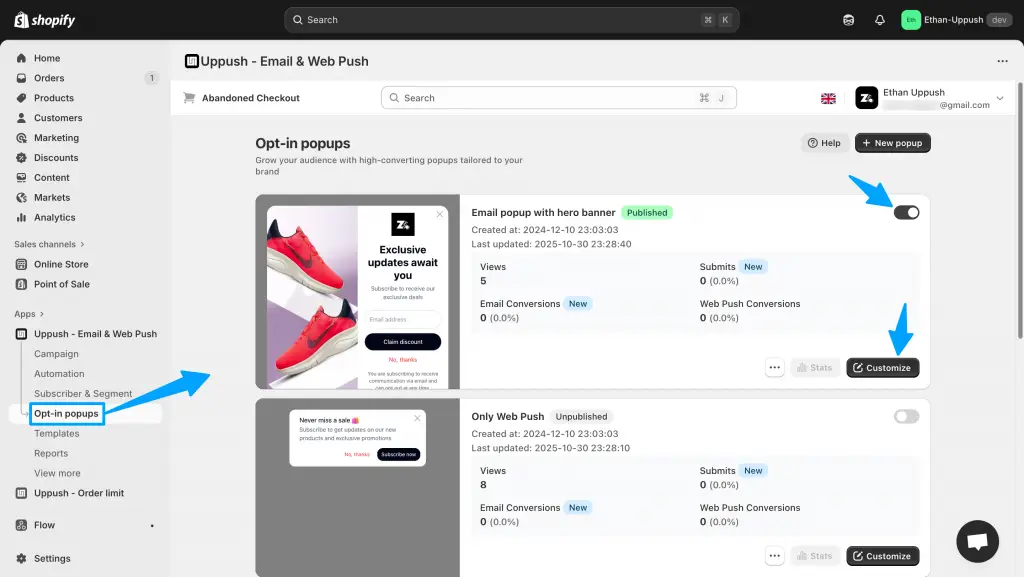
How to enable and customize your Email popup in Uppush

Then, decide when and where your popup appears:

  • Immediately, or after a few seconds on site
  • When a visitor scrolls down a page
  • On either Desktop or Mobile, or both
Additional customization and settings for the popup

You can also fine-tune advanced settings, like:

  • Showing the popup only on specific pages
  • Targeting or excluding specific countries
  • Adjusting frequency limits, or simply using the default setting (shown immediately, on all pages, without limits)

Finally, click Save and Publish your Popup and you’re ready to start collecting emails.

All collected emails are automatically stored in your Uppush contact list, and synced to your list of Shopify customers, ready to be used for campaigns and automations.

Offer a Discount to New Subscribers

To boost signups, you can easily offer a discount code after someone subscribes.
Just open the Discount tab in your popup settings.
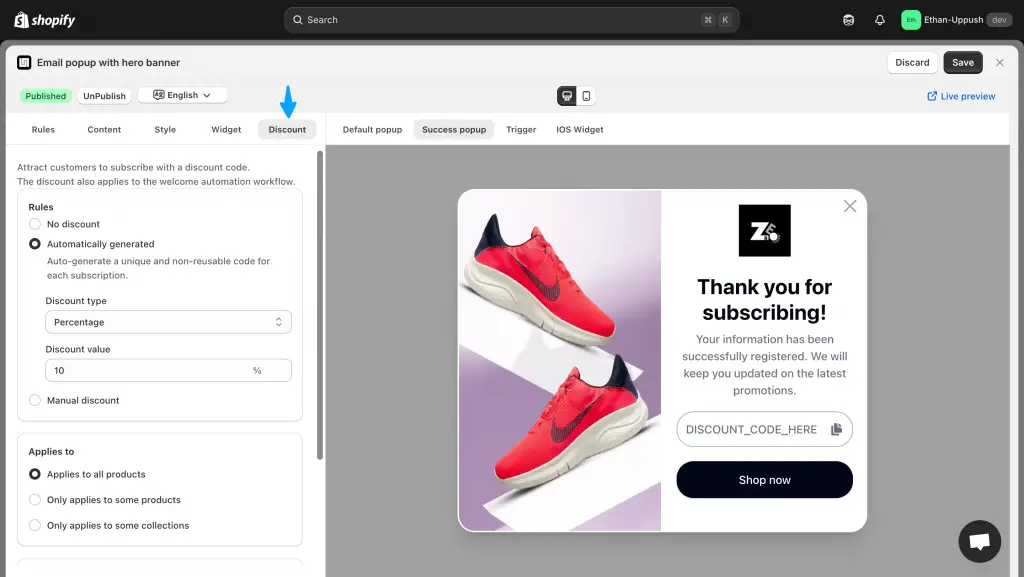
Optional Discount options for the popup

You can choose between:

  • Automatically generated codes – Uppush will create one-time discount codes in your Shopify store and display them to each new subscriber.
  • Manual discount codes – Create a reusable code in Shopify and paste it into Uppush.

(For a step-by-step guide, click here see our detailed doc on setting up discount codes.)

Take It Further with Automations

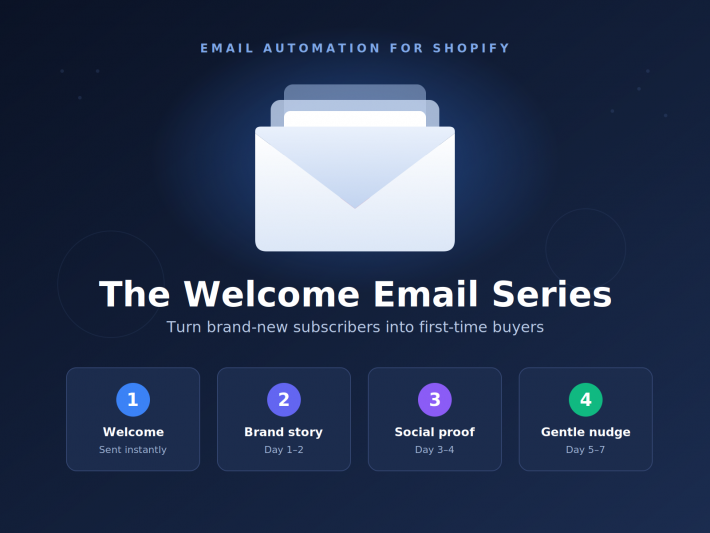
Once your popup starts collecting emails, you can automatically greet new subscribers with welcome messages or special offers.
Head to Automations in Uppush to set these up.
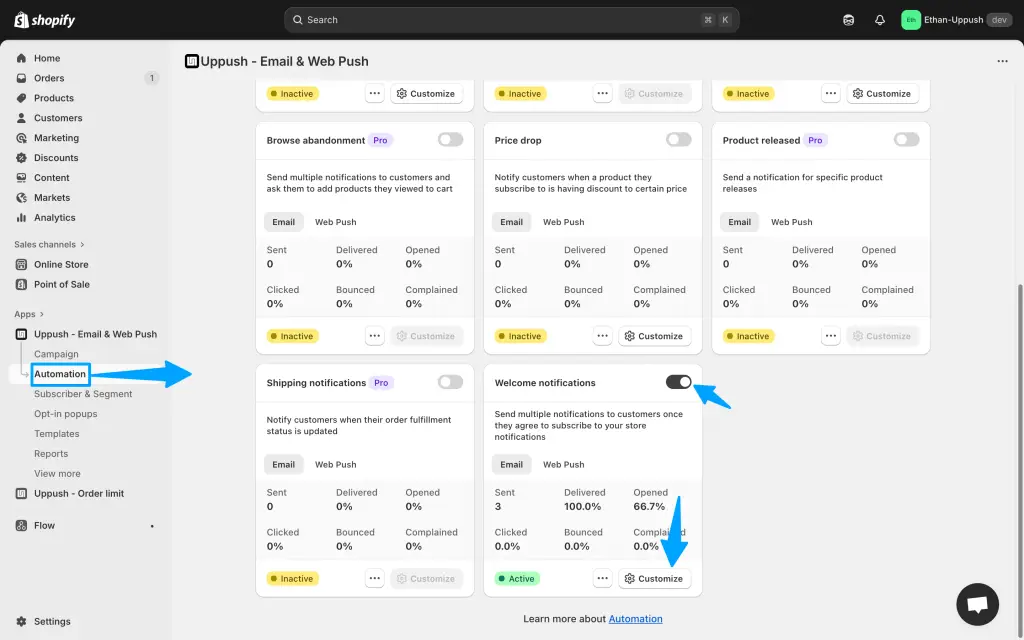
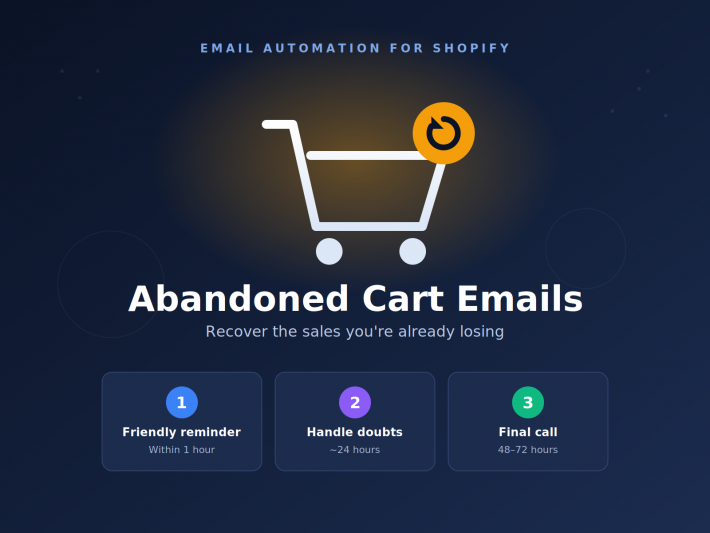
It’s a great idea to also setup Automations to take full advantage of the collected emails

And if you’re also using Web Push Notifications, you’ll reach both email subscribers and non-subscribers for maximum coverage.

Start collecting more subscribers for free — Install Uppush on Shopify.
  • boost sales
  • email automation
  • email marketing
  • email popups
  • free features
admin

Post navigation

Previous

Search

Categories

  • Business (4)
  • Email Automation (3)
  • Email Essentials (7)
  • Email Marketing (18)
  • Free Features (2)
  • Guides (5)
  • Marketing (5)
  • Push Notifications (4)
  • Strategies (8)
  • Web Push (1)

Recent posts

  • Grow Your Shopify Email List with Free Popups | Uppush
    Grow Your List with Free Email Popups
  • Boost Store Sales with Free Web Push Notifications
    Reach More Shoppers with Free Web Push Notifications
  • How to Get Your Logo, Avatar or Profile Picture to Appear Next to Your Emails

Tags

abandoned cart recovery abandoned checkout recovery BIMI boost sales clean up contacts domains email automation email list cleaning email marketing email popups free features new features push notifications Update web push

Related posts

Boost Store Sales with Free Web Push Notifications
Business, Free Features, Guides, Marketing, Push Notifications, Strategies, Web Push

Reach More Shoppers with Free Web Push Notifications

2025-10-28 admin No comments yet

Most store visitors don’t buy on their first visit — they browse, get distracted, and leave. But what if you could reach them again instantly, without needing their email or phone number? That’s exactly what Web Push Notifications do. And with Uppush, you can send them completely free. What Are Web Push Notifications? Web push […]

Business, Email Essentials, Guides, Strategies

How to Get Your Logo, Avatar or Profile Picture to Appear Next to Your Emails

2025-10-28 admin No comments yet

Whether your logo or profile image shows up next to your emails depends entirely on the recipient’s email client. Each inbox provider has its own rules and methods for displaying sender images. In this article, we’ve outlined the different ways you can make your logo, avatar, or profile picture visible across the most popular email […]

Email Essentials, Email Marketing, Marketing, Strategies

Introducing Email List Cleaning in Uppush

2025-07-03 admin No comments yet

Email list cleaning, or Clean up contacts, is a powerful way to keep your campaigns performing at their best. By removing invalid, disposable, or inactive addresses from your subscriber list, you’ll: To support your growth, Uppush now includes a built-in Clean up contacts feature—available exclusively for Pro plan users—at just $0.3 per 100 contacts. This […]

Craft stunning email campaign & web push effortlessly while enjoying 24/7 customer support.

Features
  • Email service
  • Web push
Resources
  • Support center
  • FAQ
  • Blog
  • Privacy policy
Want to receive news and updates?


    © Uppush. All Rights Reserved.